How Marker works. Set it up once. After that, it runs in the background and asks only about the close calls.
-
Bring in what you've saved.
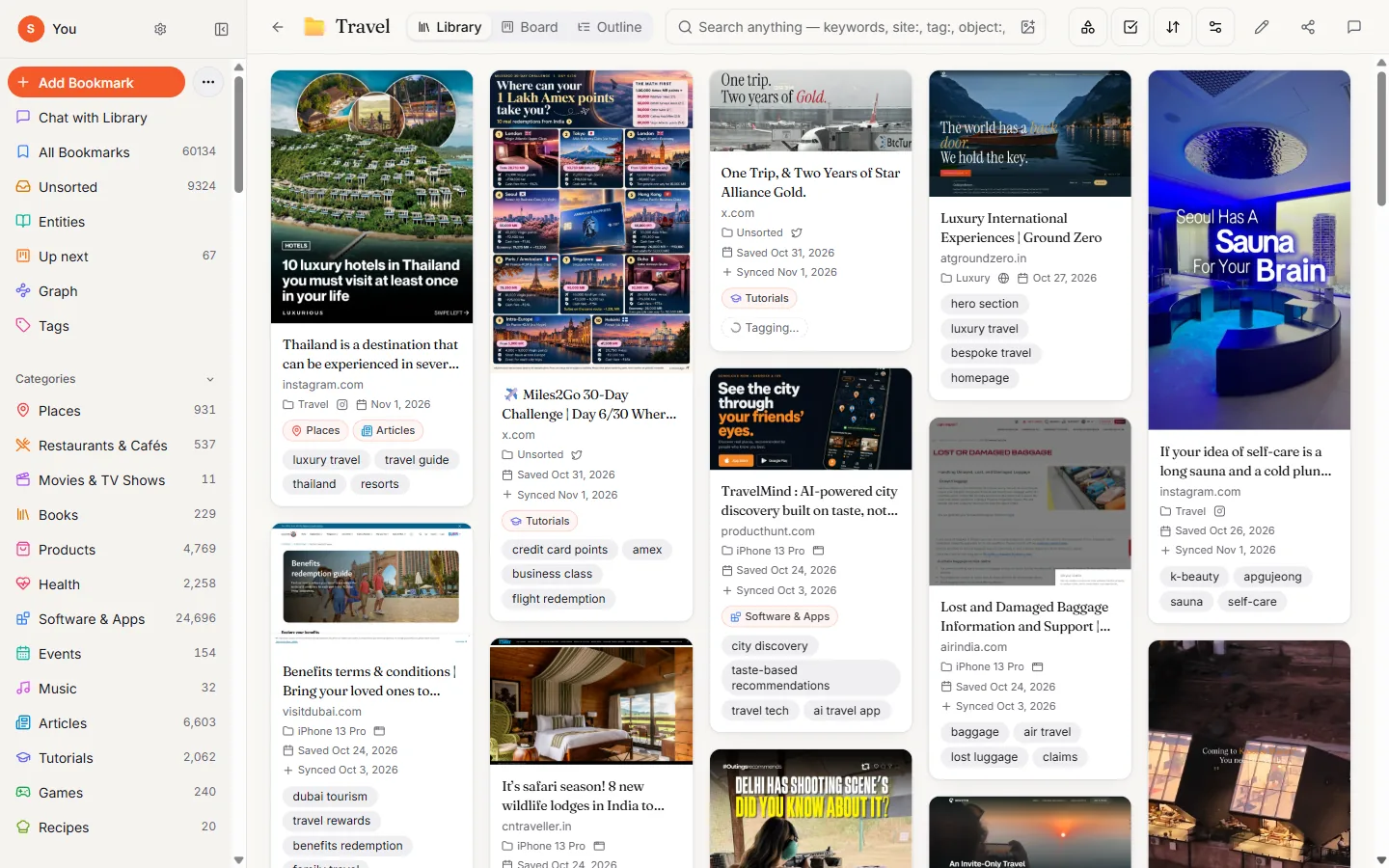
Add the Chrome extension and pair it with your account using a one-time code. Your bookmarks come in first. Then, when you ask, your saved posts on X, Instagram, LinkedIn and Facebook and your Google Maps lists. A bookmarks file from any browser works too.
After that, new saves arrive on their own: bookmark a page, press Save on a post, or share from your phone.
-
Marker reads every save.
Each save is fetched and copied in full: text, images, video, a screenshot and an archive of the page. Then it's summarised, tagged, given a category and indexed so search works by meaning.
A big first import takes a while to read. The library is usable the whole time.

-
It files what it's sure about.
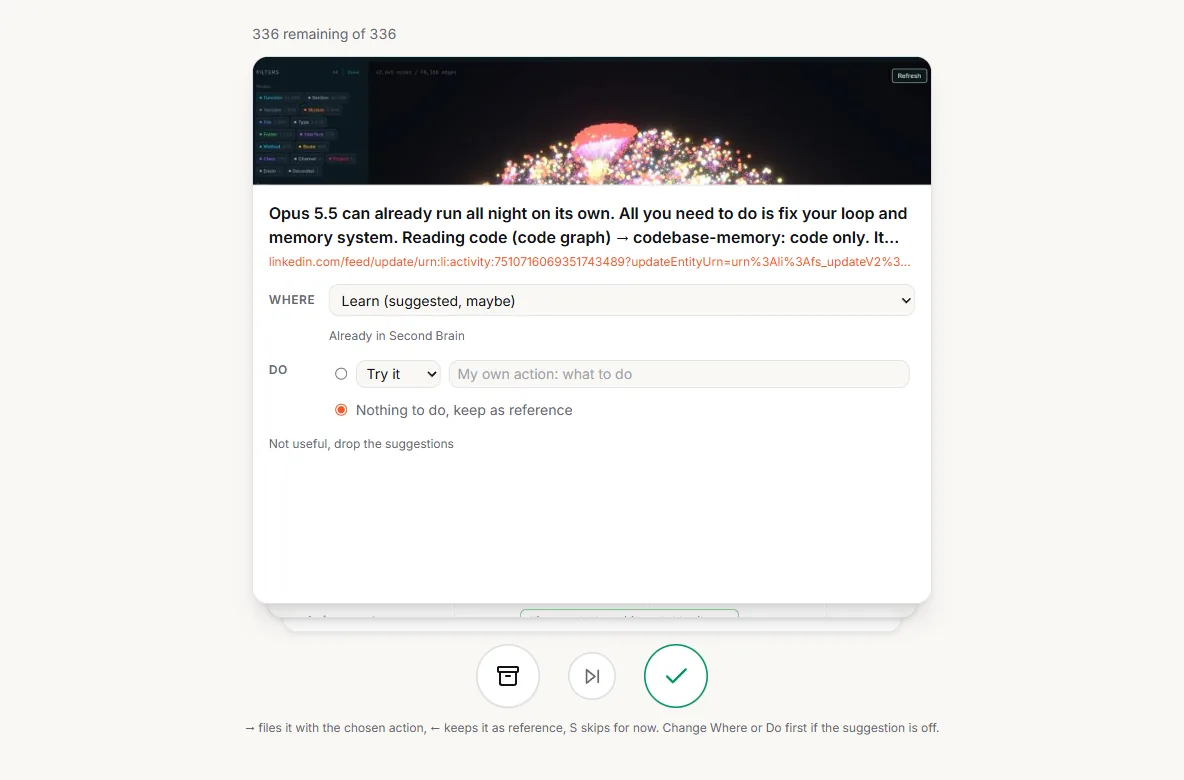
A save that clearly belongs to one of your Spaces is filed in. A close call gets a second opinion. Anything still unsure goes to your Up next Inbox with a suggested Space and a suggested next step.
A few minutes a day is usually enough to clear it.
-
You find, read and act.
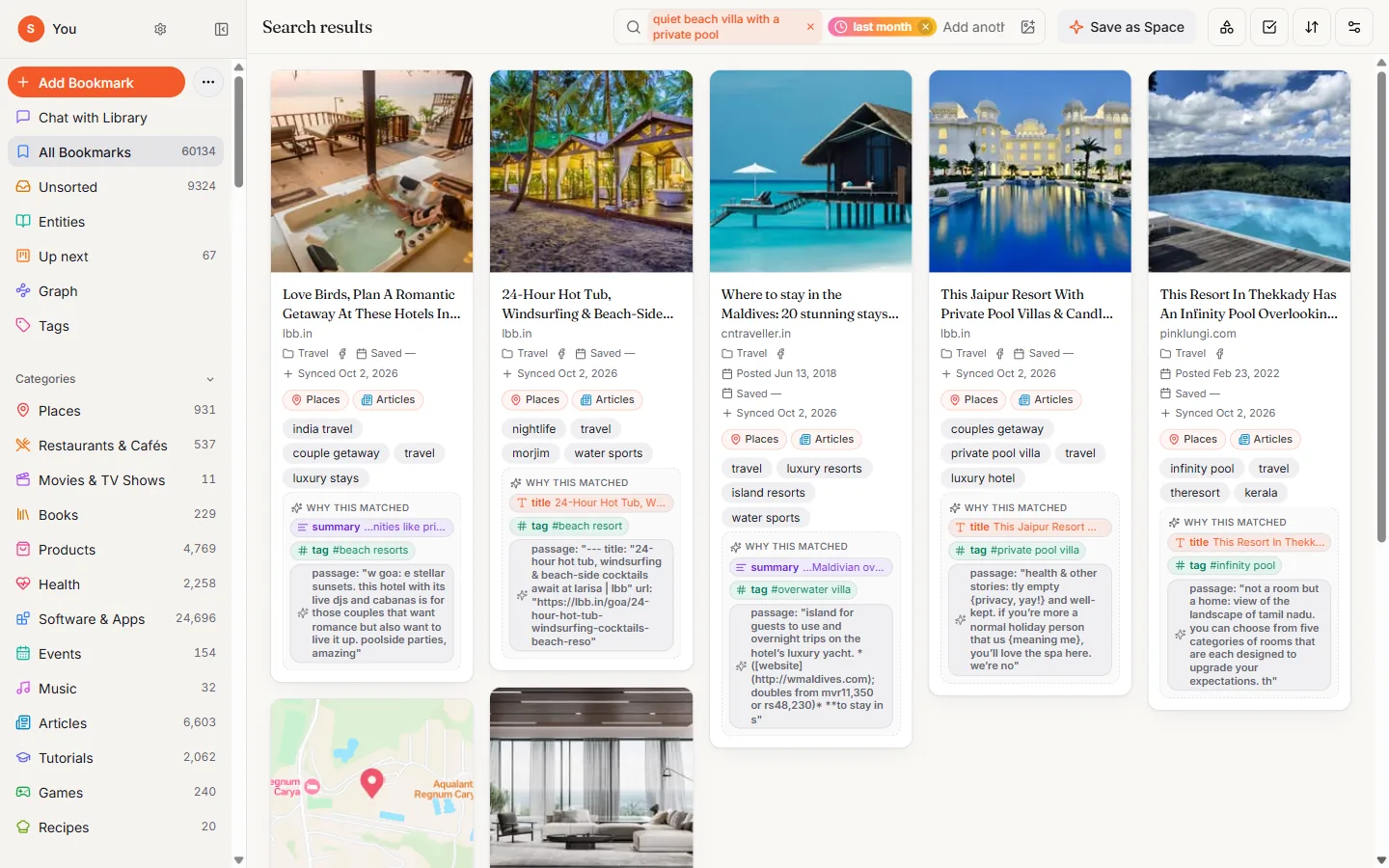
Search by what's in a save, ask your library a question, read with highlights, or press the Smart Action on a card. Older saves come back when they're relevant to what you're doing.
Your AI tools can use the library too, through MCP.
What happens to a save. In order, for every one.
- Caughtfrom the extension, a sync, your phone or the clipboard
- Copiedtext, media, thread, screenshot, archive
- Describedsummary, tags, category, colours
- Indexedfor search by meaning and by date
- Filedinto a Space, or into your Inbox if unsure
- Next stepa Smart Action when there's something to do